threelilprincesses.com

Category: Blogging and Media

  • FEATURE: I’d rather you didn’t all comment on my posts

    FEATURE: I’d rather you didn’t all comment on my posts

    Oh Mum, not more spam!

    WITHIN a short space of time I’ve amassed a bevy of wonderful, loyal readers. Some just pop in, check that I’m still alive and then go about their day. Sort of like my Nan does with the personal classifieds in the newspaper. Except she’s checking the death notices to see if she’s still alive.

    Then there are those who leave warm and fuzzy comments that truly brighten my day or pass on words of wisdom to help me through this parenting maze. It’s the part of the blog I love the most. And you’ll notice, I’m a big one for responding to comments too. I love the whole idea of having a “virtual conversation’’.

    Except there’s a few of you I’m having problems with. A few of you who leave comments and I’d rather you didn’t. I’m talking about you Heather. And let’s not forget Kayden, Polly, Roxanna and Marlie. I don’t want you commenting on my blog, even if it’s to say “Touchdown! That’s a really good way of saying it’’. Then there’s Calinda, who kindly said: “I didn’t realise forum rules allowed such brilliant posts’’. I’m gushing, really, but I’d rather you keep your opinion to yourself.

    Then there’s Bruce, who keeps telling me about credit loans. I’m fine, thanks Bruce.  Then Debrah (strange spelling, Debrah) who “stands back from the computer in amazement. Thanks!’’. Really, Debrah? And let’s not forget Kayln, who said: “it’s spooky how clever some people are’’. Thanks Kayln. But how about you get a real name and a real job. OK, that was harsh.

    To top them all off, there’s Bruce. Bruce told me that what I had written was “a foolish idea’’. And here I was thinking a picture-based `to do’ list for my daughter was pure genius.

    The worst part of it all is having to moderate all 100 of you this morning. And then put you straight into the spam folder. So thank you, but no thanks.

    What measures do you have in place to combat spam and do they work? What’s been your favourite pearl of wisdom from a spammer, either on your blog, Facebook or Twitter?

    Linking up with Where’s My Glow? for FlogYoBlog Friday.
    FYBF

  • BLOG: Plugging my (WordPress) plugins

    BLOG: Plugging my (WordPress) plugins

    Image credit

    WITHIN the 15 steps to building a mummy blog post, I only touched on the plugins I use here on Three Li’l Princesses. As I was uploading all my TLP plugins to the new Mum PR site, I realised I really should share the full gamut.

    So here they are:

    Akismet: This one checks to see whether your comments are spam or not. If you don’t make money from your blog, then this one is free. However, if you run advertising, then you will have to pay. Hmm, if only I was making enough money to actually pay for it.

    All In One SEO Pack; This has made all that SEO mumbo jumbo so much simpler. After completing each post, just add your post title, a few lines about your post (I usually just take the intro) and some keywords. So, for example, the keywords for this post will be: plugins, blogging, mummy blog, widgets.

    Facebook Like Box: This has been handy to allow people to like the TLP Facebook page without actually having to find me via Facebook itself. As of last night, the page has grown to 297 fans in a short few months. To think, it wasn’t that long ago my goal was simply to reach 50 fans! And by the way, feel free to help me get to 300.

    Fast Secure Contact Form: This contact form lets readers send me a quick email message and blocks all common spammer tactics. Spammers, be gone. Real people, step this way.

    ReplyMe: I love responding to comments on the blog. In the early days I’d copy and paste my answer into an email and personally email it to the reader. Yep, I’m a sucker for hard work. Now the blog has grown a little, it’s just not achievable anymore. So this plugin instantly sends my reply to the commenter’s inbox.

    Social Media Widget: I’m not sure if anyone’s ever bothered to click on my social media buttons up there in the top right hand corner, but they’re there just the same. If anything, they look pretty. And, to be honest, they’ve come in handy when I’ve needed quick access to my StumbleUpon page.

    WP-Polls: Having a poll in the sidebar has been a bit of fun. This widget is really easy to use and can be placed inside posts too.  You can have a multiple selection of answers. Feel free to click on the poll there in the sidebar. Go on. Do it.

    WP Render Blogroll Links: I tried out quite a few blogroll plugins and have to say this one looked the best. While I love how in Blogger you can see what the latest post is from your favourite bloggers, unfortunately I haven’t been able to find something similar in WordPress.

    XML Sitemap Feed: I’d love to be able to tell you about this one, but I’m not 100% sure how it works. Apparently it creates a feed that is ready for indexing by Google, Yahoo, Bing, Ask and others. Well, that’s what it says next to the plugin name, anyway. Sounds good to me.

    What are your favourite plugins?

  • BLOG: These are a few of my favourite memes (aka blog hops)?

    BLOG: These are a few of my favourite memes (aka blog hops)?

    THREE Li’l Princesses’ audience is fast growing and so far I haven’t had to sell my soul. I could say I’ve been blessed or that my “content is king’’, but I really doubt either are true. I can’t pinpoint exactly what it is, but I’m guessing it might have something to do with:

    • The sheer volume of comments I make on other bloggers’ blogs. No, I’m not stalking you.
    • Getting involved in social media – Twitter and Facebook. It helps save hubby’s ears from my constant natter.
    • Giveaways. Because who doesn’t like something for free? Unless it’s a cold and then, no thanks.
    • Memes (aka blog hops). Rhymes with “cream’’, not “Demi’’.

    The latter is where I see huge spikes in traffic and comments. I’ve road tested quite a few and have four that have worked really well for me. They are:

    This one is pretty simple. You upload a photo. End of story. Although, it isn’t end of story for me, as no words causes huge headaches for my homepage thumbnail, so mine is never truly “wordless’’. And maybe also because I can’t keep my mouth shut. Even for just one post.

    Choose your best post from the week. I’ve found the key to this one working is an eye-catching headline – and headlines have never been my strong point. Thank goodness I married the rather clever Bloke in The Shed (please don’t tell him I said that).

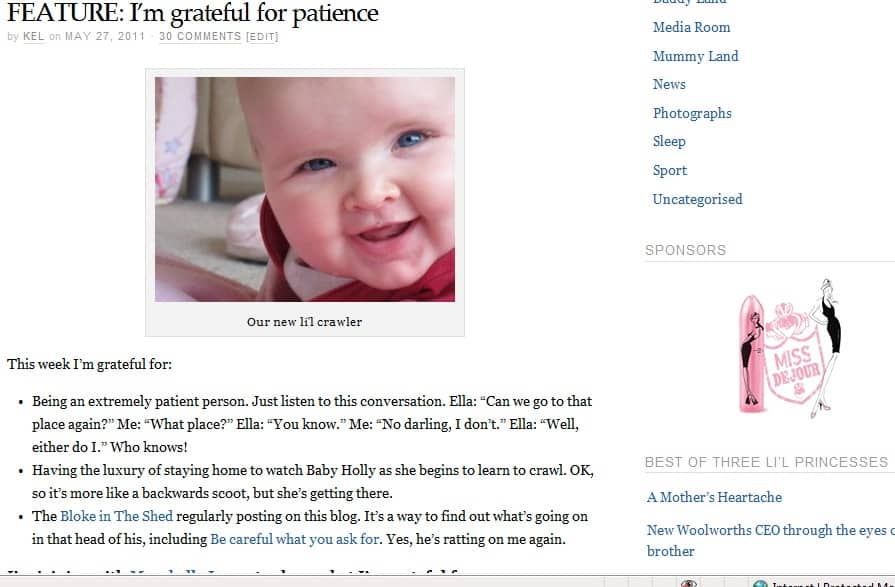
    One of my favourite memes of the week, this one is simply a post about what you’re grateful for. I’ve slightly copied Maxabella’s format, in that she usually posts three things. Hers are numbered and mine and mere dots, so I’m being “slightly’’ original. It’s also my chance to spruik the silly things my three-year-old daughter Ella does.

    This one is just too easy. Allison picks a topic and you have to dive into your archive (or you can just scroll through, if you like) and find a post that fits the subject. Love, love this one!

    My advice though is to 1. Make sure you include the badge in your post to credit the wonderful work of the meme host. 2. Comment on other posts that are part of the meme. *UPDATE* This meme is now hosted by the lovely MultipleMum of And Then There Were Four. Check her out. She has a fab blog.

    *UPDATE*

    Since writing this post, I was asked by the gorgeous Tina Gray to co-host the Aussie Giveaway Linkup. The aim is for bloggers and business owners who host giveaways on their blogs to link up each Sunday morning to 1. attract more traffic to their giveaways and 2. give readers a chance to find giveaways all in the one spot. The linky closes on Tuesdays at 7am.

    If you’re a blogger, do you take part in memes? What are your favourites? If you’re a reader, what memes attract your attention?

  • BLOG: 15 steps to building a mummy blog

    BLOG: 15 steps to building a mummy blog

    Are you a blogger or thinking about getting into blogging?

    SINCE starting this blog in 2010 and my business blog a year later, I’ve been asked quite a few times how you start a blog and does it cost a lot.

    The answer is: no, it doesn’t cost a lot. While it cost me about $110, you can actually start a blog with Blogspot or WordPress.org for free. However, the advice I received early on was to fork out the money for a self-hosted site if you’re serious about blogging. It’ll save you a mountain of work later on – especially if you’re looking to turn it into a business blog later on.

    Here’s how I created my mummy blog:

    1. Buy a domain. I went through Hostgator* to get my domain name for this site for $US15 and CrazyDomains* to get my business site, due to wanting the .com.au.
    2. Buy a hosting package. We did so with Hostgator* and bought the Baby Plan. Cost: about $100/year (there is a discount on the price at the time of writing this). The reason for choosing Hostgator came down to the fact it had some of the best reviews on the net. Every host had negatives!
    3. Once you’re in your cPanel, click on WordPress and download.
    4. In WordPress, click on “appearance’’ and “themes’’ and start clicking through to find the theme that best suits what you’re hoping to achieve. This blog uses Pagelines and my business blog uses Genesis. But if I was starting out again and didn’t have funds for a designer, I’d opt for the Divi* theme from Elegant Themes. It’s divine – and super easy to use.
    5. Download plug-ins from the WordPress.org site to make your blog more user friendly. I suggest: Akismet (to help prevent spam), All In One SEO Pack (makes all that SEO stuff simply), Fast Secure Contact Form (to put on your Contact Me page), ReplyMe (when you reply to a comment on your blog, it is automatically sent to their email), Social Media Widget (this helps apply all your social media links to your sidebar to make connecting with you easier),
    6. Consider using Feedburner. This allows people to view your content via RSS or email subscription. However, I do want to add that since writing this post, most people now use an email marketing system for greater flexibility in building an email list and marketing. When you’re starting out, I highly recommend Mailchimp*. As your email list grow, other options include Infusionsoft* – which I now use.
    7. Join Google Analytics. This will give you a daily, weekly, monthly and annual look at your traffic stats – how many visitors, what pages they’re looking at, how they came to find your site. Invaluable information.
    8. Create some pages within your blog – preferable an About Me page, a Contact page and Advertise page. You can do this under “Pages’’ and “Add New’’.
    9. If you’re looking to use advertising on your site, sign up with Nuffnang.
    10. Through your HostGator cPanel create an email address. For eg, mine is kellie (at) threelilprincesses (dot) com A word of warning, always obfuscate your email address as I’ve shown it here, otherwise the spam bots will pick it up.
    11. Click “Posts’’ and “Add New’’ in WordPress and start typing away. To learn more about content, visit my blogging series.
    12. Once you’re done, add a photo using Picmonkey* to create it, fill in your SEO fields, add some tags and categories, proof read your post once more, then press “Publish’’.
    13. For more information on blogging, sign up to the 7 Days To Making Money With Blogging Mini Course!
    14. Then you need traffic. Right? Look at creating a Facebook fan page and Twitter account, email signature with your URL, submit articles to bookmarking sites like StumbleUpon and join Facebook groups. Other traffic strategies include public relations.
    15. Lastly, respond to comments on your own blog and get offsite and comment on other bloggers’ posts. It’s the best way to start making new friends. And remember, have fun!

    If you have trouble with any of the above, don’t hesitate to leave a comment and I’ll help walk you through it. Also, if you’ve noticed something on my blog that you’d like to know more about, feel free to ask. I’m more than happy to share my experiences.

    Photo credit: here.

    If you’re a blogger, share some of your favourite plug-ins or steps you took to create your blog? If you’re not a blogger, have you ever considered starting your own blog?

    If you’d like more, you can also go through the entire free 30-day blogging challenge here which will help you set up your blog, Facebook and Twitter accounts for business.

    FREE COURSE

    Click the image below to learn how to make money from blogging in this 7-day mini course

    Click Here to Start

    As a disclaimer, the * links is a referral link. So if you decide to work with the company in the future, I may receive a commission. However, it doesn’t mean you will be charged any extra for using their services.

  • MEDIA: 10 reasons to issue a press release

    MEDIA: 10 reasons to issue a press release

    MANY people would love to gain some media exposure, but struggle with the angle for their press release. The more unique your idea, the better your success. Just announcing you’re launching a business or blog isn’t news – unless it’s something incredibly unique.

    There are many ideas out there. Here are 10 to get your started:

    1. Keep abreast of the news and be prepared to put yourself forward if a topic ties into your business or blog. You can release a statement with your viewpoint on the news item. For example, statistics have revealed there are now more mummy businesses than women in boardroom positions. This is a perfect opportunity for a mummy business owner to discuss why she chose her own business over the boardroom.
    2. Put a poll on your website or blog or set up a survey. If you gain a significant number of responses to your question, use those results to craft a media release revealing the results.
    3. Host a major charity event or raise a large amount of money through the product you’re selling and donate it to a worthy cause.
    4. If you’re selected to appear or speak at a national event, it’s a great opportunity to promote yourself. Just make sure the event organiser is comfortable with this.
    5. Use the skills you have to create a free class or demonstration for your local community. This allows you the opportunity for a preview story and coverage on the day.
    6. Enter yourself into state, national and international awards. If you win, it’s an opportunity to gain media exposure. The bigger the award, the greater the chance of a story.
    7. A new product release. Just make sure the product is, again, unique.
    8. You’re mentioned in someone’s book, an international publication (magazine, newspaper etc) or featured on national television. Just be careful to avoid approaching media outlets about how you appeared in a rival publication – ie, don’t approach a Fairfax newspaper about how you appeared in a News Ltd paper.
    9. Someone famous is photographed with your product, mentions it in an interview or comments on your blog. With the web making the world a much smaller place, don’t rule this out.
    10. If you receive a grant, scholarship or are selected for an overseas study tour. Local media love championing their own.

    This week is the final in the Media Room series here on Three Li’l Princesses. However, don’t despair, the series is now continued on the new Mum PR site dedicated to helping bloggers, small business owners and other organisations pitch their stories, brand or product to the media.

  • MEDIA: How to take a photograph the media would want to use

    JUST as important as a good quality press release, is attaching a print-ready photograph as part of your pitch to the media. The media won’t necessarily use your photo, but it’s best to have one for those times when a photographer isn’t able to get to you.

    There are a few rules though. That grainy photo, with last year’s Christmas decorations in the background and someone’s arm poking out at the side isn’t going to cut it. Here are some things to consider before taking your shot:

    • Consider your background. Is it clear and uncluttered? The only reason you would go with a busy background is if you were going to blur the background (use bokeh) to draw attention to the subject
    • Make the photo relevant to what you’re pitching. If you’re pitching your craft business, then have a photo of you with your craft items in it. If you’re pitching your photography blog, how about you holding a camera?
    • Use props where possible. A photo of you staring at the camera smiling can be dull. No offence.
    • Never send in a photo of a cheque presentation. It won’t get used. If the photo looks boring to you, then it will probably look boring to everyone else too.
    • Take a look at a newspaper or magazine and see what type of profile shots they’re taking. Do they have props, what’s in the background, how is the subject positioned etc.
    • Never try and cram too many people into the one shot, otherwise their heads just become dots in a photo. It’s best to aim for no more than three or four people.
    • Make sure it’s at least 2Mb, 200 dpi and in jpeg format. Anything less than this and it will become too pixelated for print media.
    • These days, it’s best to send in a digital image. The days of sending in a hardcopy are fast going. While it’s not impossible for these to be scanned in, it is however creating more work at their end.
    • If you are using an image someone else has taken for you, make sure you have their permission or own the copyright to distribute it first.
    • Where possible, provide more than one option (preferably a horizontal and a vertical).

    Next week will be the final in the Media Room series here on Three Li’l Princesses. However, don’t despair, the series will be continued on a new site dedicated to helping bloggers, small business owners and other organisations pitch their stories, brand or product to the media.

    Subscribe to this blog so you don’t miss any of the coming announcements and feel free to click any of those “share’’ buttons below.